
Your guests, managed on one screen
A first name, two dates, and the house does the rest: the door code, the Wi-Fi code, access to the app. Everything expires on its own when they leave.
For weekly lets: no more keys to hand over, no more passwords to change after every stay.
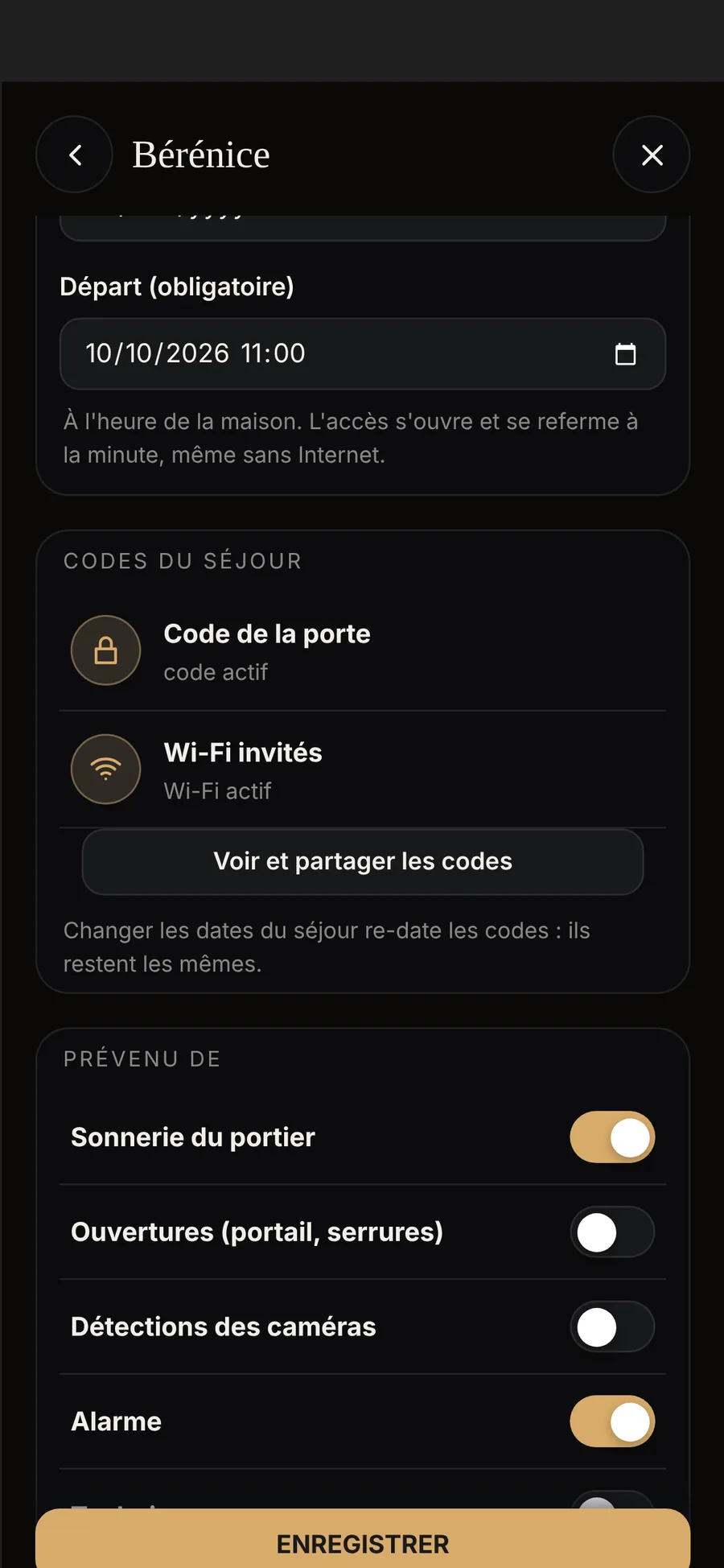
- The guest, codes includedThe door code on the Nuki lock and a personal Wi-Fi code are created automatically, shared with a single tap and expire when the guest leaves.
- Stays timed to the minuteAccess opens on arrival and closes on departure, to the minute; the door code holds even if the internet is down.
- The concierge serviceA property manager adds and removes guests, without being the owner.
Add a stay
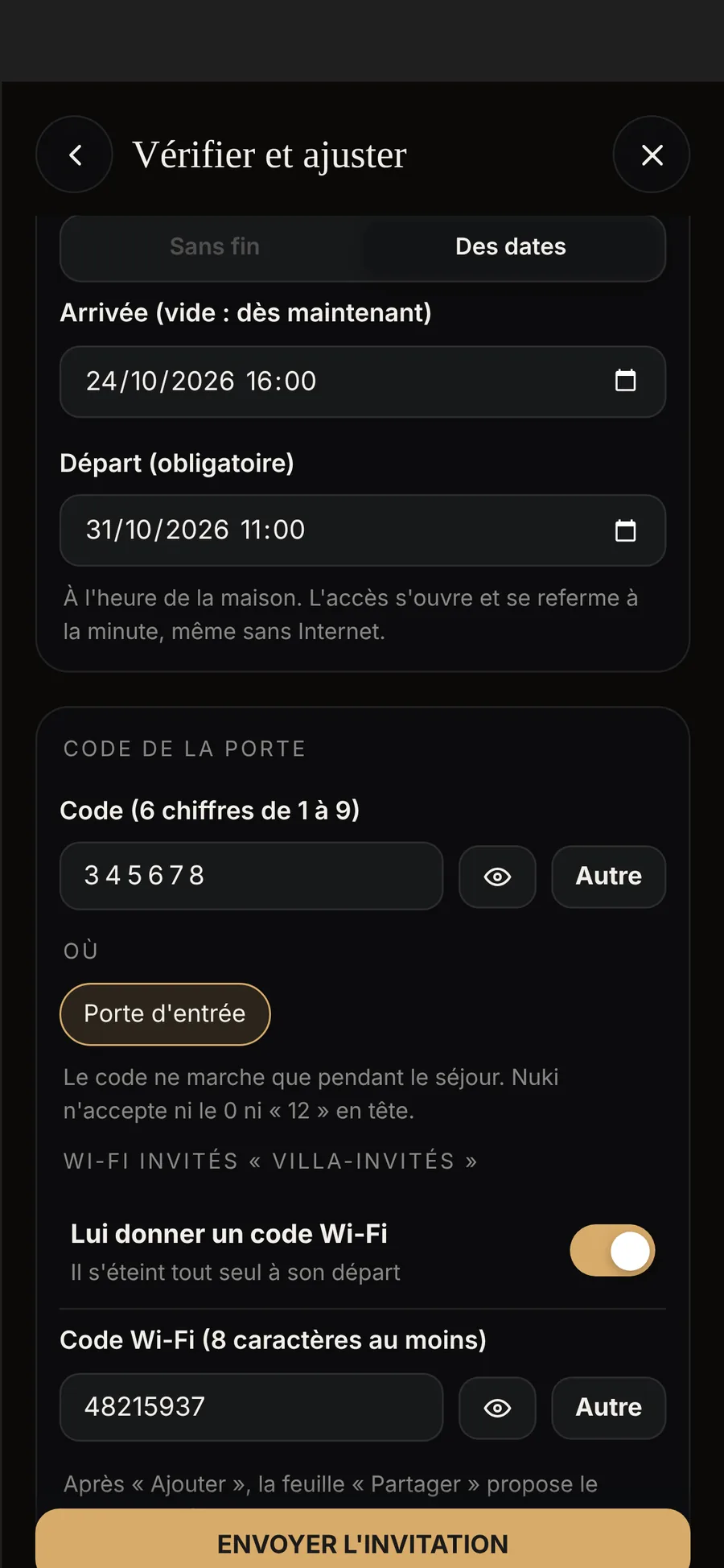
The guest’s first name and email, arrival and departure to the hour. Arrival at 4 pm and departure at 11 am are suggested; you change them with a tap.
- The door code, generated for themSix digits, generated by the Écrin. Prefer a different one? Tap ‘Other’, or enter your own.
- A Wi-Fi code of their ownA personal code on the guest Wi-Fi, used by them alone, which expires when they leave.
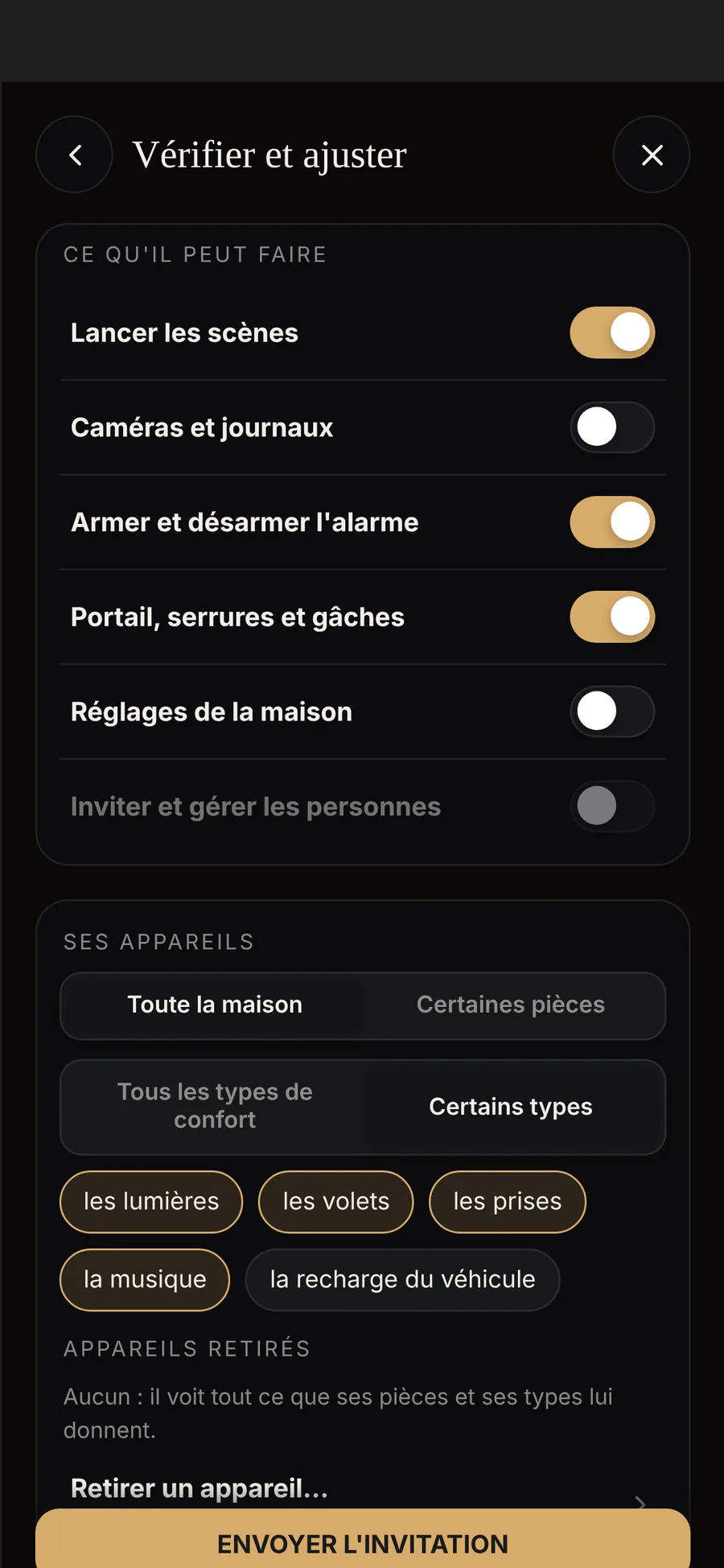
- What they will seeThe rooms and devices for their stay. Untick a device to hide it from them.
One message, and they have it all
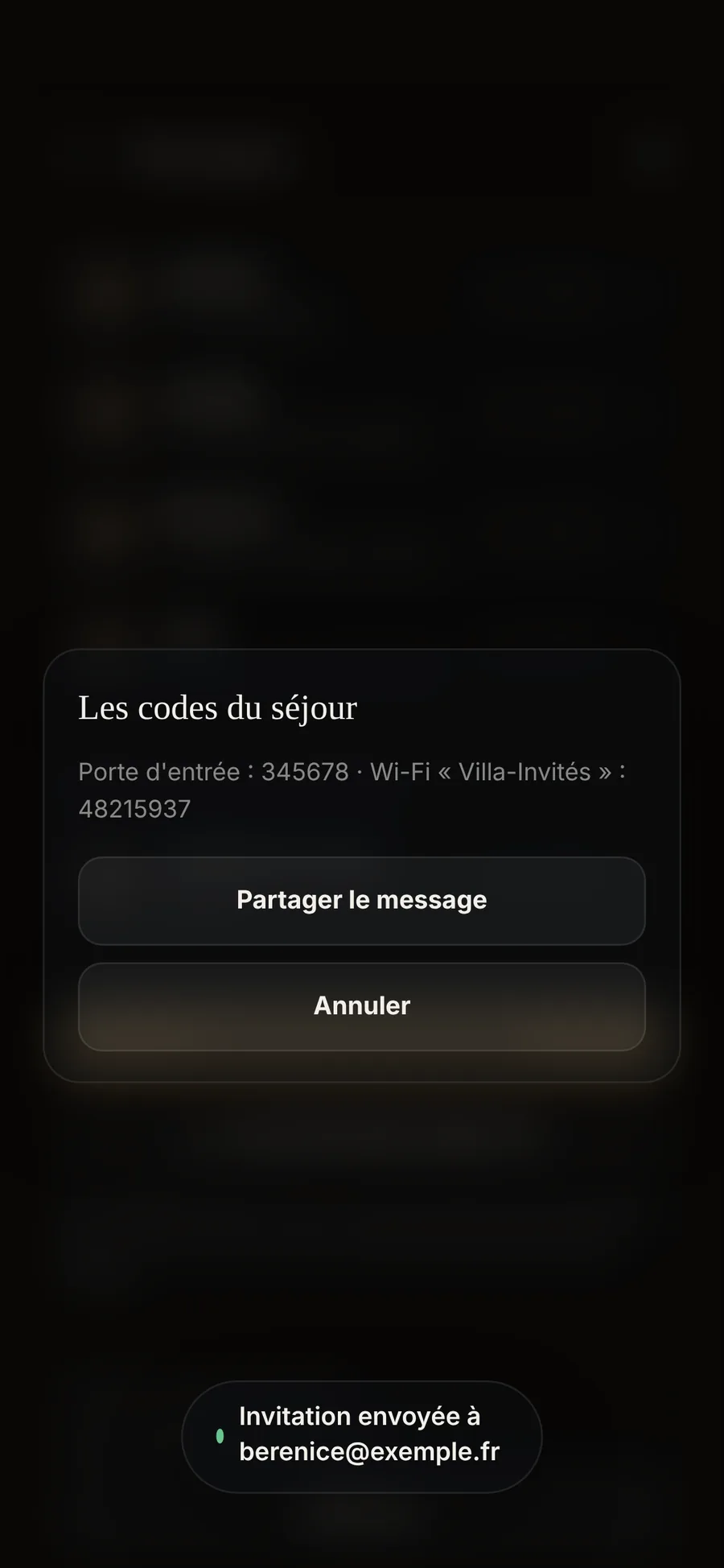
When you add the guest, the ‘Codes for the stay’ sheet opens: a ready-made message with the dates, the door code, the Wi-Fi and the link to their invitation. You send it by Messages, WhatsApp or email.
- No need to install the appThe codes are enough to get in and connect. The ÉCRIN HOME app also gives them their rooms and scenes.
- The email invitationThey also receive their invitation, and sign in to the app with their own account.
- See the codes again at any time‘View and share the codes’, on their profile, for as long as the stay lasts.
During the stay
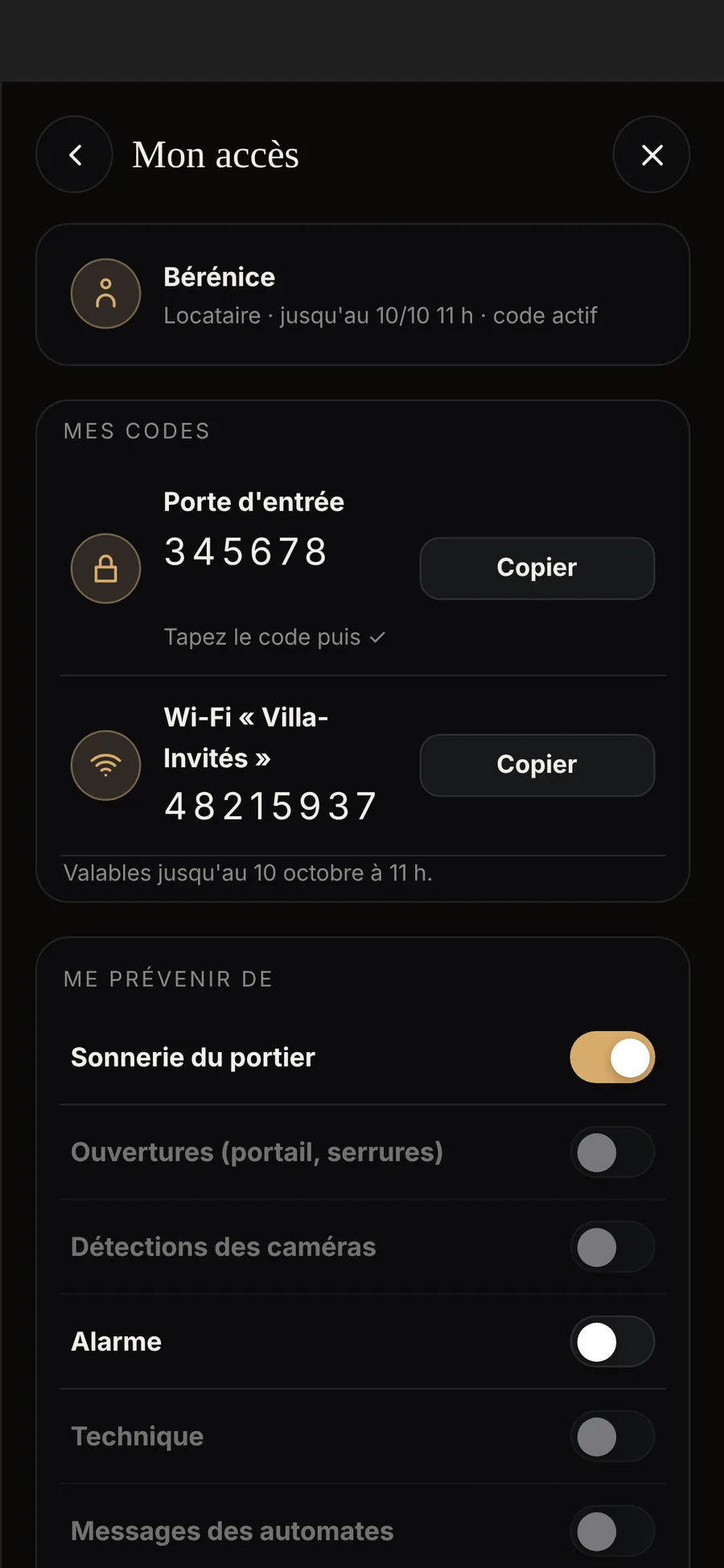
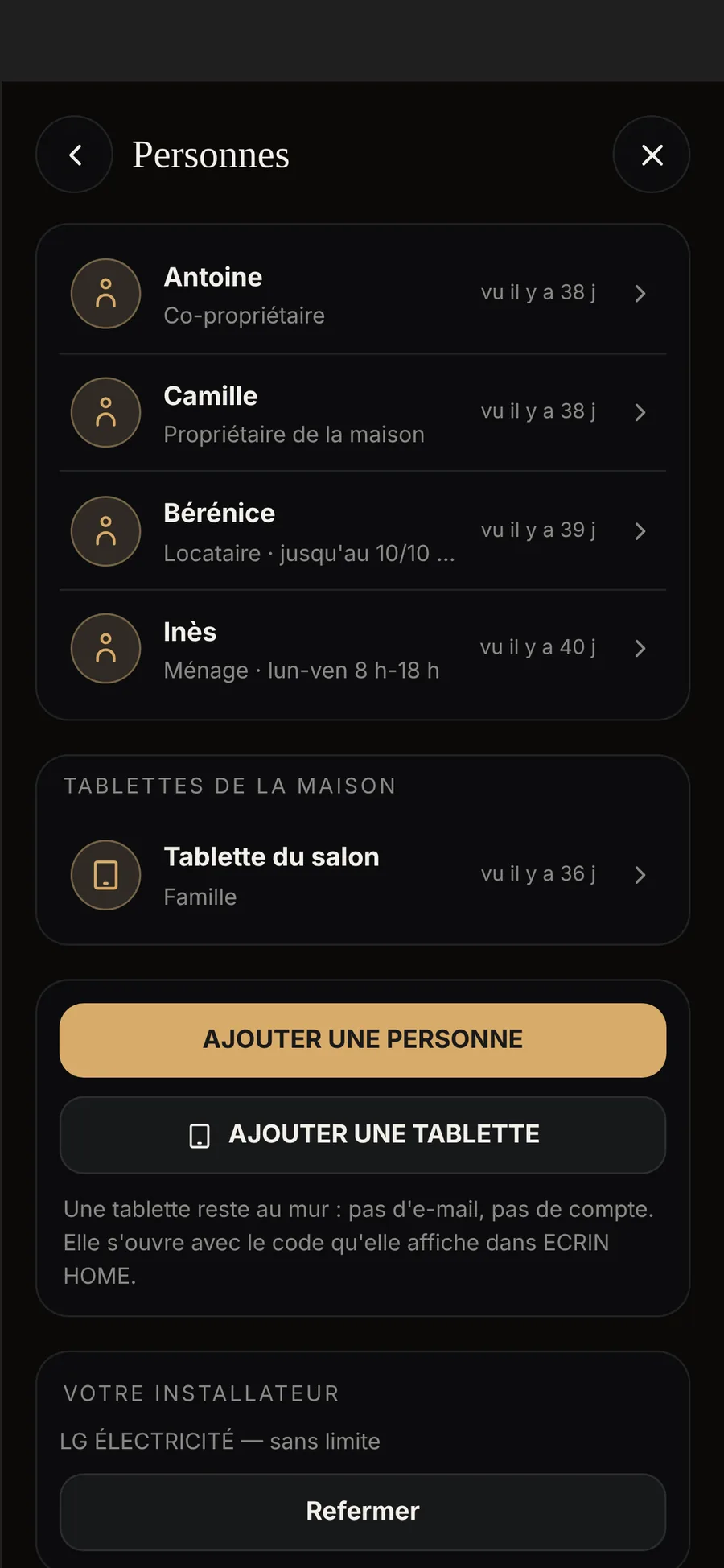
Your guest sees their rooms, and their codes in ‘My access’. By default, they cannot see the cameras, the house settings or technical alerts. And you know when they have arrived.
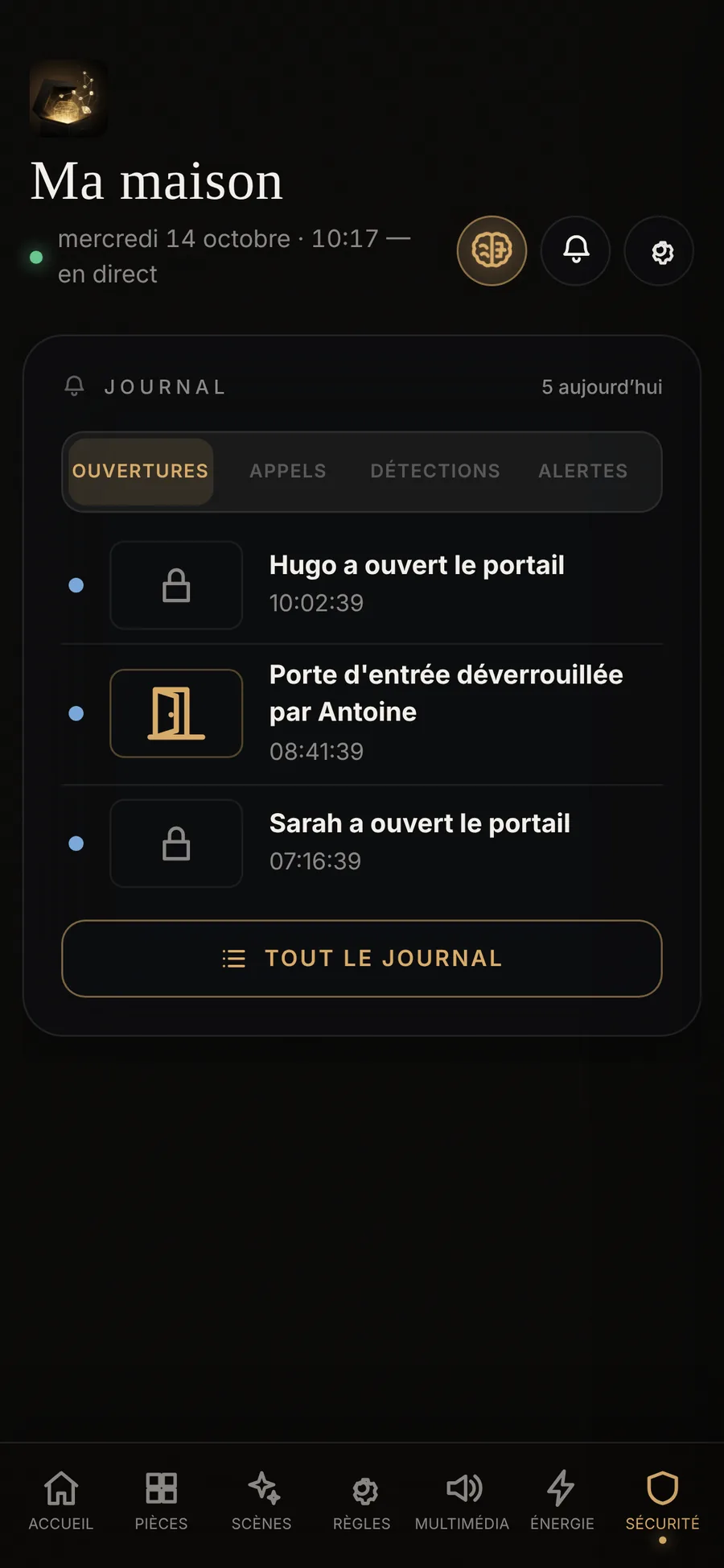
- ‘Bérénice has arrived’The first time she opens the door at the keypad, you are notified, and so is your property manager.
- The log names them‘Front door unlocked at the keypad, Bérénice’s code’.
- The code checked in the lock‘Code being sent’, then ‘code active’: the Écrin checks the lock before confirming it.
Extend, shorten, remove
Staying two nights longer? Change the departure date: the codes take the new dates and stay the same. An upcoming stay can start straight away.
On departure, nothing to do
The code’s dates are stored in the lock: at departure time, the lock rejects it on its own, even if the internet is down. The Wi-Fi code expires at the same time.
- The morning tidy-upThe next morning (two days later after a late departure), the Écrin removes the codes of the finished stay, from the lock and from the Wi-Fi.
- One code per stayThe next stay has its own code. The previous one never opens the door again.
- The app tooOn departure, the house disappears from their app.
Several homes, one manager
Each home has its own Écrin, and all of them appear in the same app. A concierge service is given the Property manager profile: it adds and removes guests and staff, without being the owner.
When something fails
A rented house must open on time, whatever happens. Here is what really happens.
- Internet downCodes already in the lock work. A brand-new code waits for the internet to return, and is sent within a minute.
- A code not yet in the lockAn hour before arrival, the house warns you.
- Power cut, low batteriesThe lock and its keypad run on batteries. When the keypad’s batteries run low, the house tells you before the keypad stops working.
What the house needs
A Nuki Smart Lock Pro or Ultra with its Keypad 2.0, and Nuki Web activated on the owner’s Nuki account. For personal Wi-Fi codes, a Zyxel Nebula Wi-Fi network with its Professional Pack licence. Without Nebula, you get the door code only, and the screen makes no mention of Wi-Fi. All fitted and set up by your installer.
Find an installer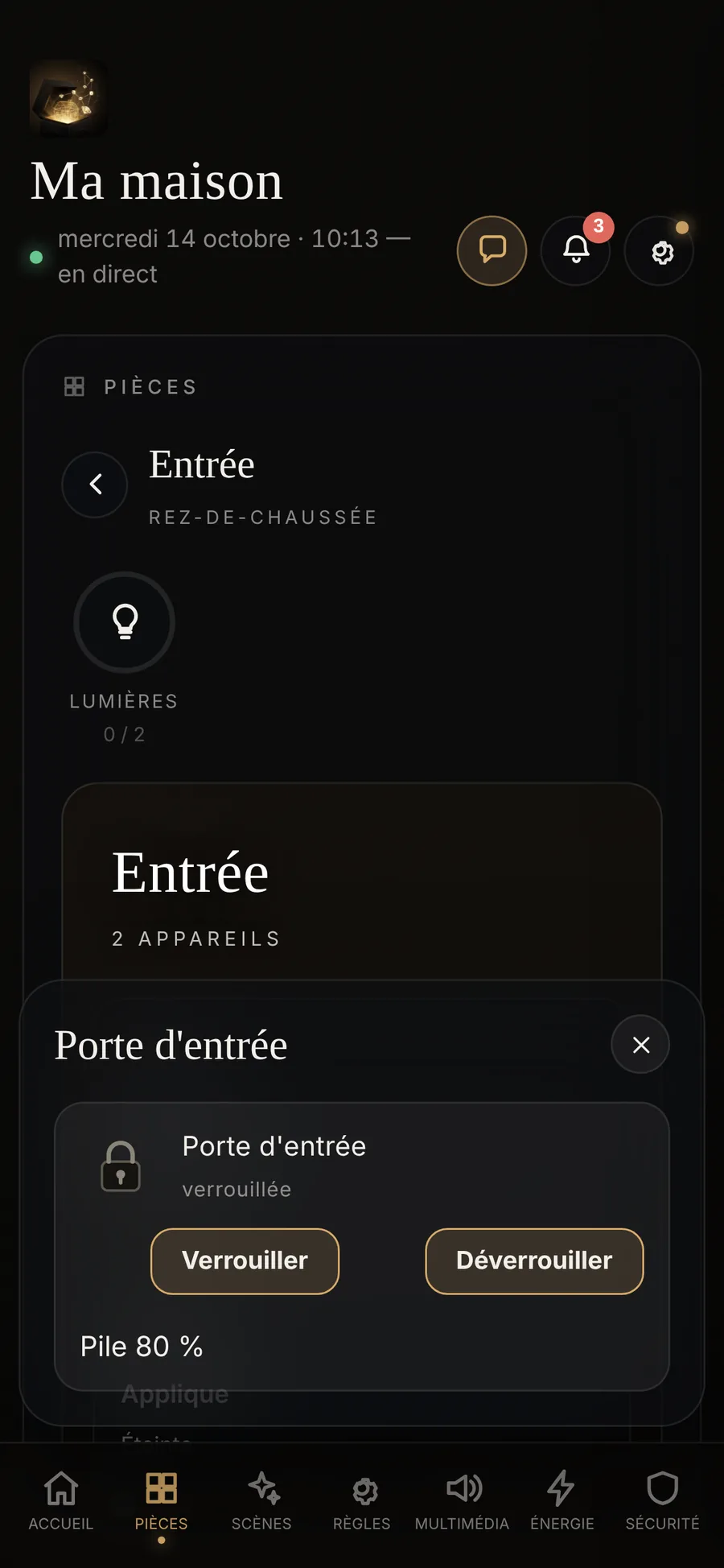
Your questions
Does Écrin sync with Airbnb or Booking?
Not at the moment. You add your guests yourself, on one screen: a first name, an email, two dates.
Does the guest have to install the app?
No. The shared message gives them the door code and the Wi-Fi code. If they install ÉCRIN HOME, they also find their rooms, their scenes and their codes in ‘My access’.
And if they forget their code?
They can find it in the app, under ‘My access’, ‘My codes’. You can also send it to them again: ‘View and share the codes’, on their profile.
Who can see the codes?
The guest sees their own. The people who manage the house see them on the guest’s profile. They are stored encrypted in the Écrin, in your home.
What does the guest see of my house?
Their rooms and devices, their scenes, their codes. By default, not the cameras, the EV charger, the settings or the technical alerts. You adjust this when adding them, device by device.
A stay, in real life
We will show you how to add a stay, in Sainte-Maxime or in your own home.