
Everything Écrin does
129 features, live today in every ÉCRIN home. They arrive through updates, with nothing to change in your home.
This page is designed to be printed. Lay it on the table, tick what matters to you, and let’s talk.
Everyday control
Every room in a photo, every device at your fingertips, and a home that follows your rhythm.
19 features
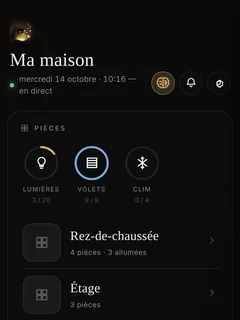
Rooms in photos
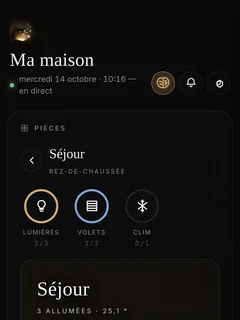
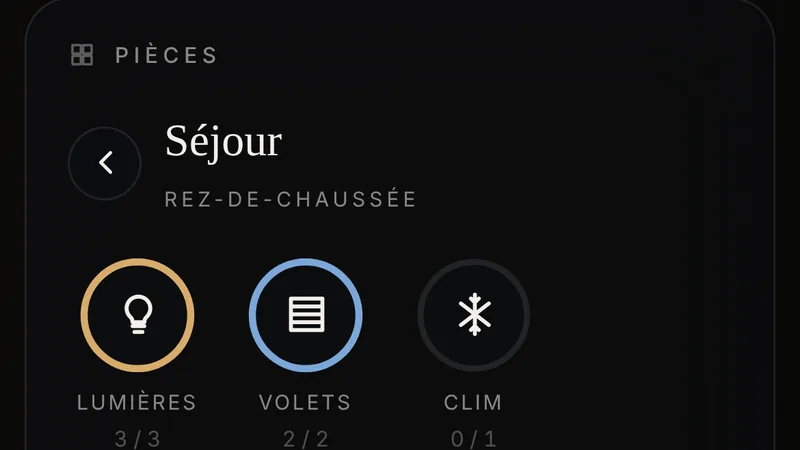
Each room opens on its photo, with its devices placed as circles. A tap acts; a long press opens the device card.
Real time
Press a switch on the wall, and the app changes instantly.
Living icons
A device’s icon shows its state: the shutter comes down, the lamp lights up.
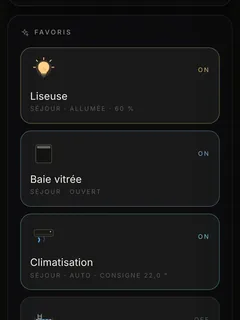
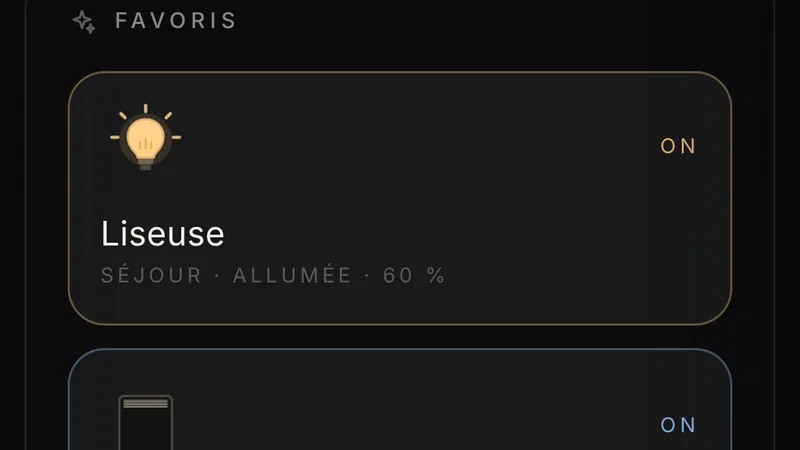
Everyone’s favourites New
The star on a device card puts the device on your Home screen. Everyone has their own.
Scenes
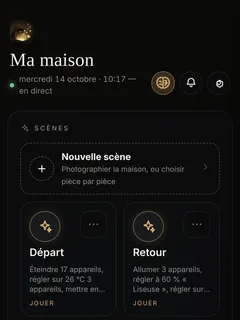
An evening, a departure, a film. You build the scene room by room, from the current state, and try it for thirty seconds before saving it.
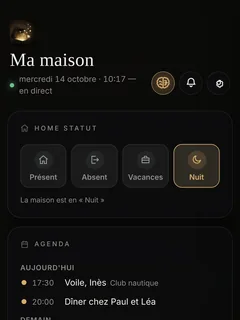
Home statuses New
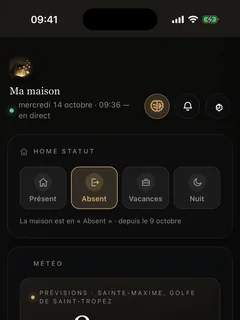
Home, Away, Holiday, Night and statuses of your own, set from the Home screen. Your rules take them into account.
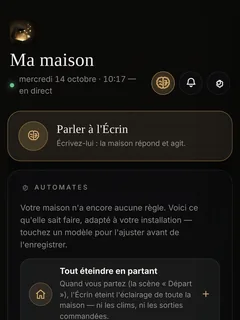
Rules
‘At 7 am on weekdays’, ‘at sunset’, ‘when the last person leaves’. You write the rule in the app, from a template or from a blank page.
Comprehensive conditions New
A rule looks at the weather, the home status, the alarm, presence, the electricity tariff and the season.
The two-step rule New
Switch on at one time, switch off at another, in the same rule. Even if the Écrin restarts in between, the second step still happens.
Dry run and the reason why
The Écrin tells you what a rule would do right now, without touching anything, and logs why it did or did not run.
A rule that will not run, flagged New
If a rule is held back three times in a row by the same condition, you are notified, with the current value.
Timed devices New
Watering zone by zone, each with its own duration. A running programme can be stopped with one tap if it starts to rain.
The tariff in your rules New
The water heater starts during off-peak hours; the pool filtration waits for the right moment in your contract.
Socket timers
Automatic switch-off, delayed start, adjustable pulse, all handled by the Écrin itself.
Protected devices New
A protected light is never switched off by ‘switch everything off’. A rule that names it still controls it.
Your Écrin says New
A card on the Home screen gives the essentials of the day in one line, with yesterday’s figures.
The alert banner New
A leak or a fault appears at the top of the Home screen, red for danger, orange for a fault, until someone taps ‘Seen’.
Notifications that open the right screen New
Tapping a notification opens what it is about: the camera, the rule or the log.
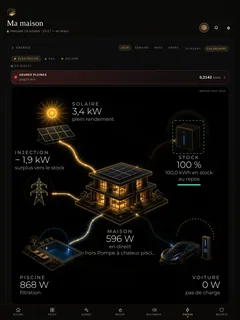
The Home screen, full size New
On an iPad or a wide screen, the villa and its energy flows fill the whole screen.
People and their permissions
Each person has their own access, rooms and hours. You keep the keys.
12 features
The Family page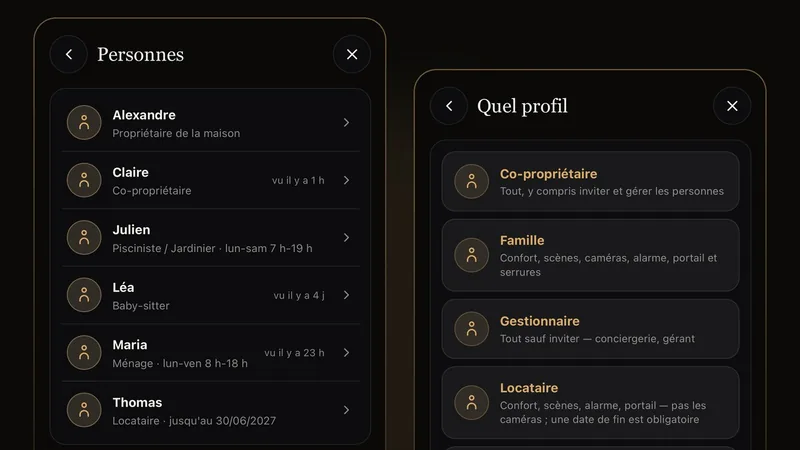
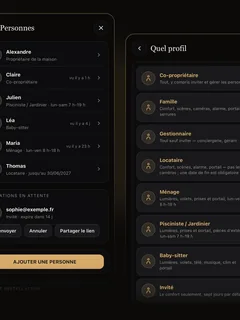
Eight ready-made profiles New
Co-owner, family, property manager, guest, cleaner, pool technician or gardener, babysitter, visitor. A profile pre-fills the card; you adjust it.
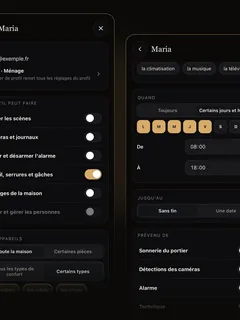
Tailored permissions New
What each person can do, in which rooms, on which days and at what times, until what date, and what they are notified of.
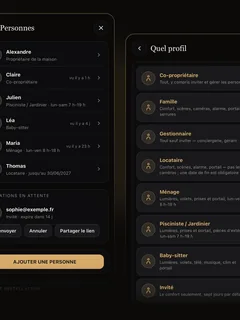
Invitation in three screens New
You send the invitation from the app. The person receives an email and signs in with their own account.
Removed in under a minute New
Removed access is cut off on all the person’s phones in under a minute.

A log with first names New
The gate, locks and alarm operated from the app are logged with the first name of the person who did it.
Stays to the minute New
Arrival on Saturday at 4 pm, departure the following Saturday at 10 am. Access opens and closes to the minute, and the departure holds even without internet.
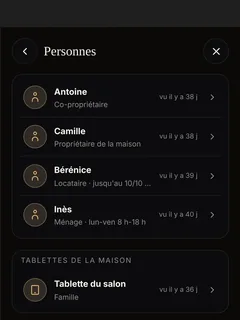
Concierge services New
A property manager adds and removes guests and staff, but can never grant more than they have themselves.
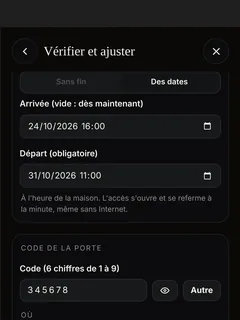
Guests, codes included New
Add a guest with their dates. Their door code on the Nuki lock and their personal Wi-Fi code are created automatically, shared in one tap and deactivated when they leave.
Devices withheld one by one New
The guest has the whole house except the wine cellar; the cleaner has everything except the study.
Wi-Fi that requires the app New
Your installer can require the app on the Wi-Fi of a rented home: being on the Wi-Fi is no longer enough to control it.
Your installer’s access, in your hands New
At handover, you give your installer access for 48 hours, 7 days, 30 days, with no limit, or none at all. You are notified of every person they add or remove.
The family starts charging New
The whole family can start and stop charging the car. A visitor only if you allow it.
The assistant and voice
You talk to your home; it looks things up, acts within your permissions and answers you.
10 features
The Assistant page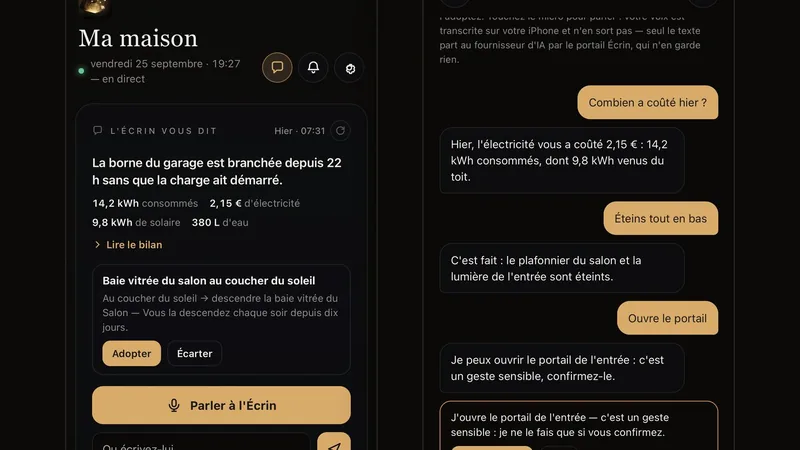
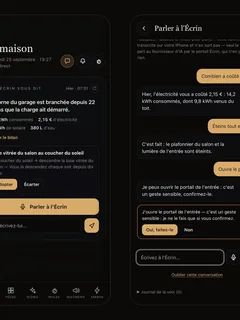
Talking to your home New
You ask as you would ask someone in the house. The Écrin understands, acts within your permissions and answers you.
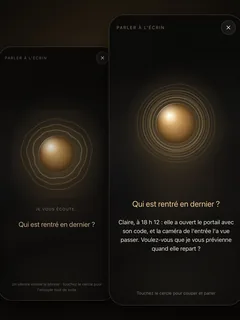
The assistant that looks things up New
‘Who came home last?’ It checks the video intercom, the cameras, presence, the alarm, the vehicles and energy before answering.
‘Let me know when…’ New
‘Let me know when she leaves again.’ The Écrin keeps watch, and you are notified when it happens.
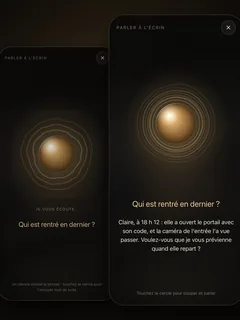
Voice mode New
Tap the microphone and speak. Your voice is recognised on the iPhone; only the text is sent.
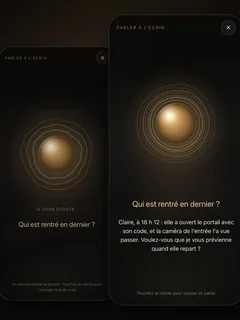
The golden sphere New
The Écrin appears as a golden sphere that listens, thinks and speaks in time with the voice.
A natural voice New
The Écrin answers in a human voice, synthesised in Paris. Nothing is kept.
Obvious commands, without waiting New
‘Turn on the kitchen’, ‘close the shutters’ go through in a few milliseconds, without artificial intelligence.
‘Not that’ New
Under every answer, a tap to say it missed the mark. The owner sees how reliable it has been over the last seven days.
A ‘yes’ before opening New
Opening the gate or disarming the alarm requires your confirmation.
Amazon Alexa New
Your scenes and devices by voice on your Echo speakers, each person within their own permissions, with the Assistant option.
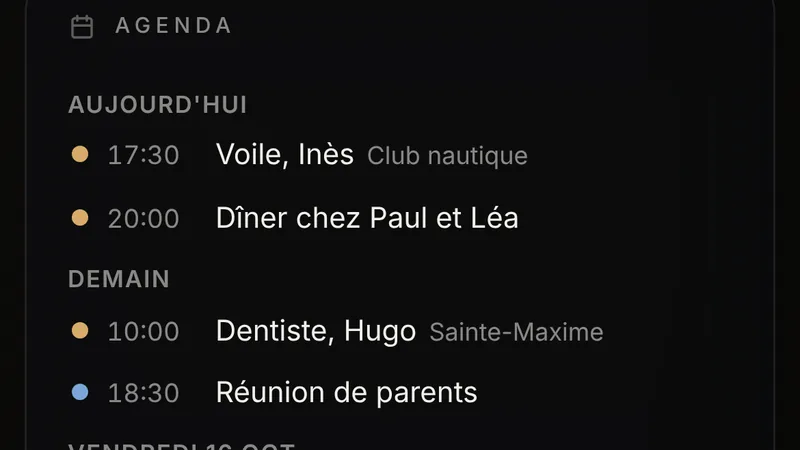
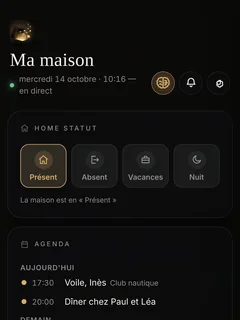
Everyone’s own Home screen New
Each person arranges their Home screen: the weather, their favourites, the music, the schedule, the shopping list.
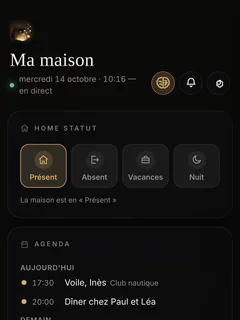
The family schedule New
The family’s calendars on the Home screen (iCloud, Google or the school’s), as long as they provide a calendar link.
Appointments added by voice New
‘Add the dentist on Tuesday at 10 am.’ The assistant prepares it, you say yes, and the iPhone adds it to the calendar.
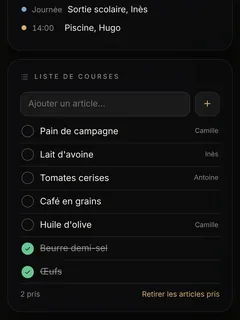
The shopping list New
A list shared by the whole household, on the Home screen, filled in by hand or by voice.
‘Add butter’ New
The assistant adds what you tell it to the shopping list.
When you leave home New
Each person has their own circle around the home. On leaving, a reminder or an action, and departure actions wait until nobody is left at home.
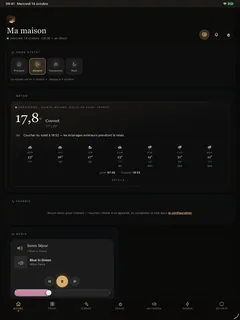
The home tablet New
An iPad that stays at home, with no email address or account. You add it from your iPhone with a six-character code.
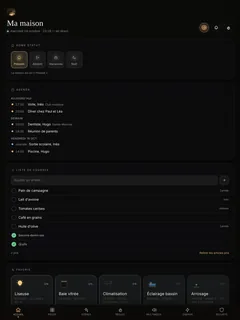
The tablet’s Home screen New
The tablet arranges its own Home screen, or you arrange it for the tablet from your iPhone.
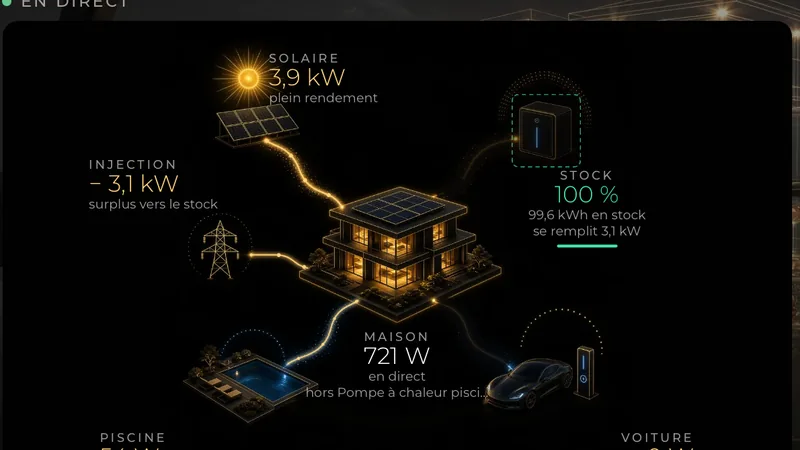
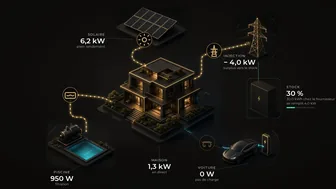
The living villa New
The Energy tab draws your home and its current flows: the roof, the grid, the battery, the car, the pool.
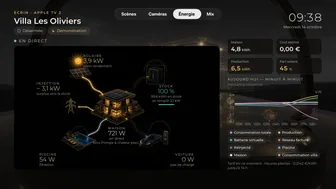
Curves that stop at the present moment New
The day, the week, the month, in smooth curves that stop at the present moment.
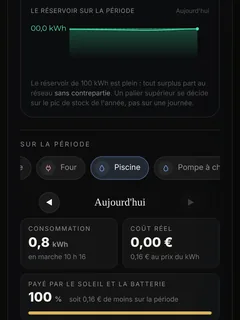
Each device’s history New
What the pool uses, and what it costs, by day, month and year.
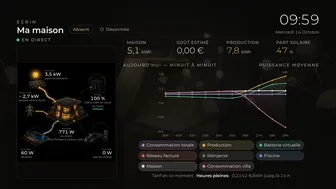
Real-time tariffs New
Regulated prices follow EDF and the French Energy Regulatory Commission. A new price grid reaches your home without an update.
Tempo and your contract New
Off-peak hours, Tempo and its red days, or a contract set up line by line by your installer.
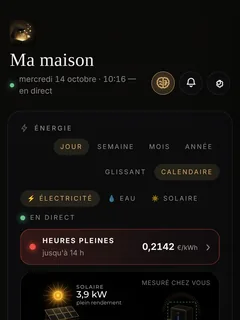
The current tariff New
Above the villa: the current period, the price per kWh and the next change. The flows take on the colour of the tariff.
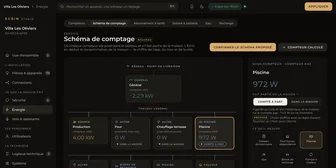
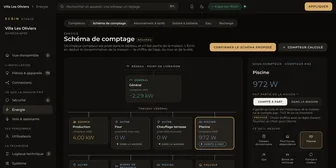
The metering diagram New
The main supply, the pool, the charger. The home’s consumption is calculated once, by the Écrin, and it is the same everywhere.
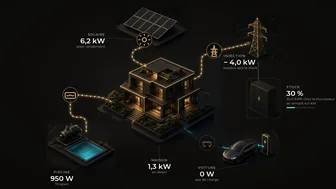
The virtual battery New
With mylight150, surplus from the roof is added to the store. As long as it is not empty, power from the grid is not billed.
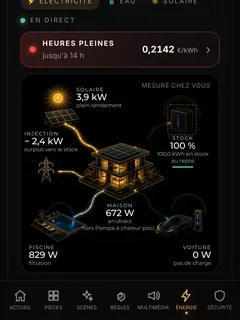
Solar panels
Enphase inverters read on your own network, without going through the internet.
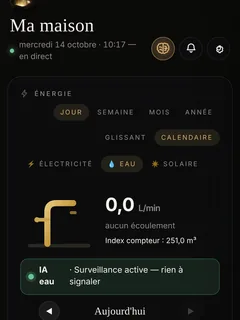
Water and leaks
Live flow, today’s litres, and leak monitoring that knows your watering schedules.
Gas
The gas meter in curves and in euros, alongside electricity and water.
KNX and Shelly meters
The meters in the distribution board and the Shelly modules measure each circuit.
Only measured watts New
A device without a meter does not display ‘0 W’. The figures shown are measurements.
EV chargers
The charger talks directly to the Écrin. The home decides when it charges, and for whom.
7 features
The Energy page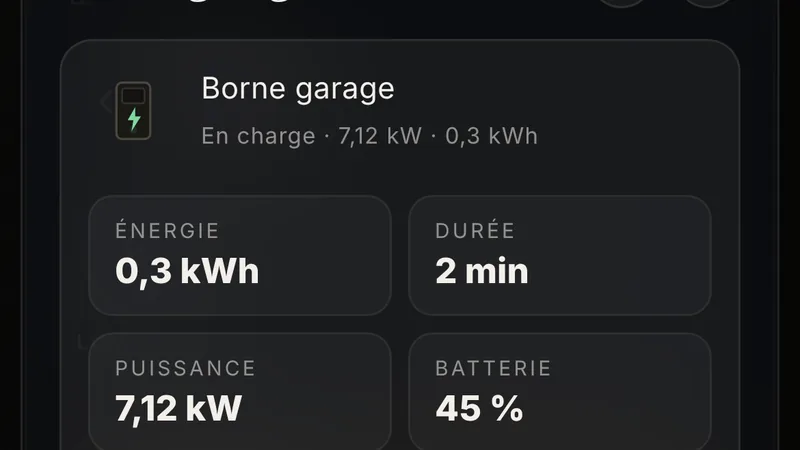
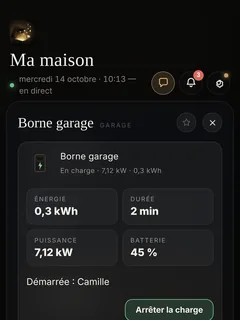
The charger talks to the Écrin New
OCPP-compatible chargers connect to the Écrin, which controls them directly, without the manufacturer’s cloud.
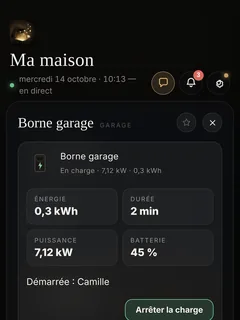
Start, stop, limit New
Start or stop a charge, limit the current, unlock the socket, from the app.
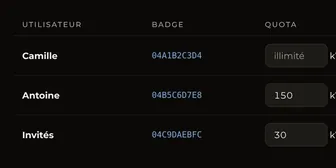
Badges and their quotas New
Each badge has its own name and its own monthly kWh quota.
Charging starts when you plug in New
Once the car is plugged in, charging starts automatically, without a badge. Or the Écrin lets you know and you decide.
An off-site charger New
A charger at the office, controlled from here, stays outside the home’s energy figures.
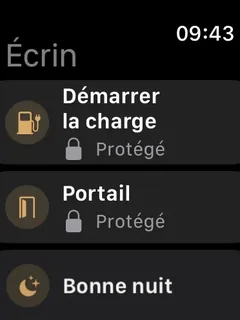
‘Vehicle plugged in’ on the watch New
The watch vibrates when the car is plugged in, with a button to start charging. The charger is also available as a widget.
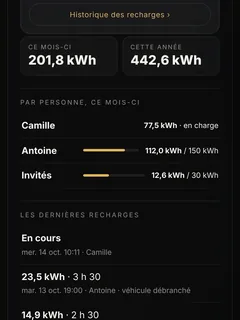
Charging history New
Every charge and its energy, with its cost when the charger is at home.
Security
The cameras detect, the Écrin alerts you, and tapping the alert opens the clip.
12 features
The Security page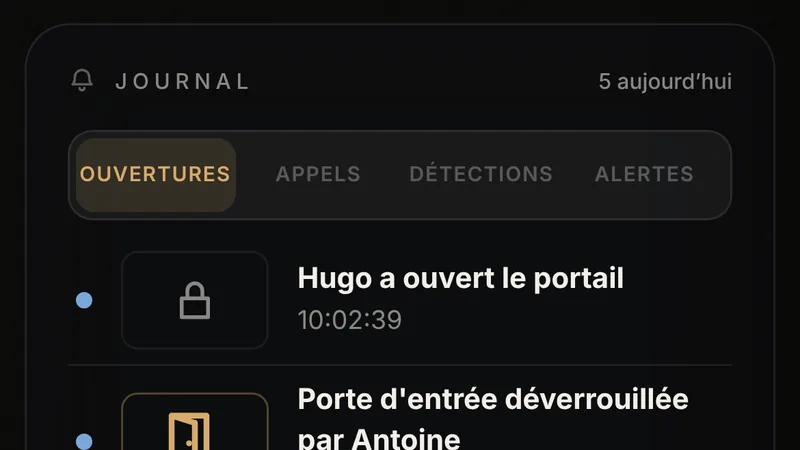
Live cameras
Live video from your cameras, Dahua foremost, and smooth full-screen viewing on the iPhone.
Acting from the camera image New
Open the gate you can see, turn on the driveway lights or start a scene with one tap: the camera’s buttons sit just below its live image, on the iPhone and the iPad.
Detections come from the cameras
Person, vehicle, line crossing. The camera decides; the Écrin never invents a detection.
The site alarm
When armed, the Écrin triggers the cameras’ deterrents (their voice and flashing lights) and alerts the phones.
Arming, double-checked New
What is shown as armed has been read back from the cameras. Anything in doubt never disarms.
Tapping the alert opens the clip New
The detection clip opens when you tap the notification. With a Dahua recorder, 8 seconds before and 22 seconds after.
Playback from the recorder New
Camera playback goes as far back as the site’s Dahua recorder keeps it: 17 days at the reference home.
Detections kept New
Each detection keeps its photos and its short clip, up to 100 GB. The oldest is deleted first.
Visitors see the last 24 hours New
A visitor with camera access can only play back the last 24 hours.

The home’s logs New
Entries, calls, detections, alerts, each in its own tab, on the first Security screen.
Alerts that break through the silence New
A real ringtone and the alarm get through Sleep and Focus modes, on the iPhone and on the watch.
Cameras kept under watch New
A camera that goes silent or whose clock drifts is flagged, and its clock is reset with one tap.
Access
The video intercom, the gate codes and the locks tell you who came in.
8 features
The Security page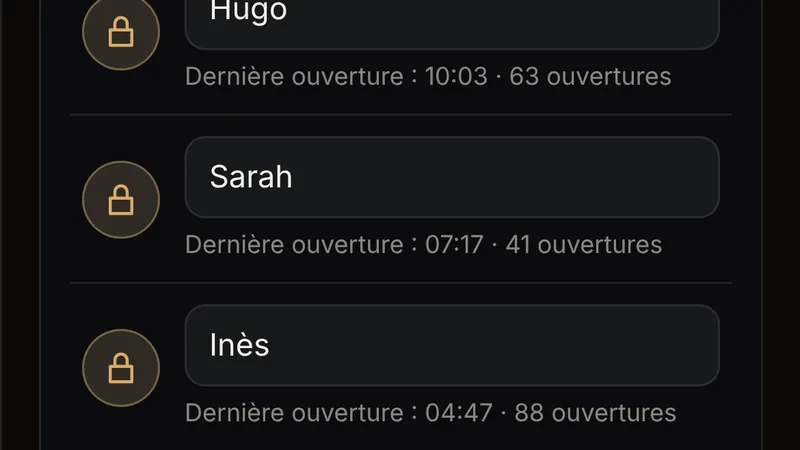
The video intercom New
Someone rings, and your iPhone rings too. You see, you answer, you open, wherever you are.
A photo at every visit
Every ring and every opening at the video intercom is photographed and kept at your home.
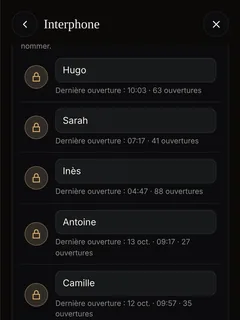
Codes with a first name New
Each keypad code is named once. After that, the notification says ‘Sarah opened the gate’.
Told about every opening New
A gate opened with a code, a door unlocked: one notification per action, for whoever has opted in.
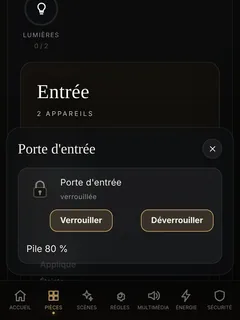
LOQED locks New
Lock and unlock from the app, and with a widget on the iPhone and the watch, and see who opened it. The Écrin warns you when the battery runs low, on your phone and in the app, well before it is empty. The lock goes through its bridge, on your own network.
The lock on the intercom keypad New
One code to lock, one code to unlock, entered on a DoorBird keypad on the property.
Nuki locks
Controlled directly on your own network. Opening a door requires a code.
One notification per action New
An unlocked door gives a single notification, not two.
Comfort
Lighting, shutters, climate, music and TVs, all with one hand.
10 features
KNX
Lighting, dimmers, shutters and blinds, heating and sensors, on the wired building standard.
Heating and air conditioning
Setpoints to a tenth of a degree, Comfort, Eco, Reduced and Frost protection modes, each device in its own language.
Daikin, locally New
Daikin air conditioners controlled on your own network, without their cloud.
Heating and cooling aligned New
Air conditioners on the same outdoor unit switch to heating or cooling together.
Shelly, without the cloud
Shelly sockets, relays and metering modules controlled on your own network.
Sonos, room by room
Group rooms, set each volume, play your favourites.
Choosing the Sonos source (TV, turntable, music) New
One button to switch from music to the TV sound or the turntable, and the living-room turntable can be heard in other rooms.
The TV remote
Samsung TVs and Apple TVs at your fingertips, with a touchpad.
Every device recognised on the network New
A TV switched on with its own remote is detected, and each device is recognised by its hardware address: never a command sent to the wrong device.
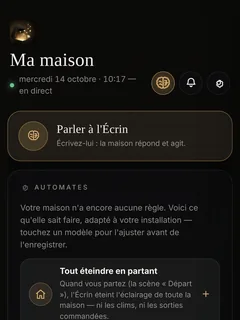
‘Switch everything off’ means the lights New
The general switch-off turns off the lights, never the charger, the gate or the freezer.
Screens around the home
The iPhone, the iPad, the Apple TV, the watch and the wall tablet.
8 features
The Family page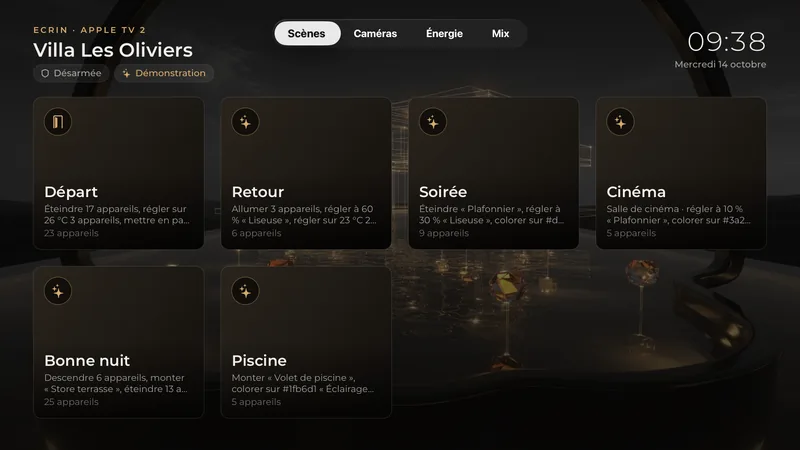
The ÉCRIN HOME app New
A native app for iPhone, iPad and Apple TV, at home or away.
Widgets, the watch, Siri New
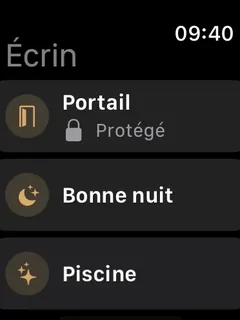
Your favourite actions on the iPhone screen, the Apple Watch, Control Centre and Siri, such as unlocking or locking your door from the widget, the watch or Siri. Sensitive actions ask for confirmation, with Face ID on the iPhone.
The Apple TV, the home’s screen New
Scenes, cameras, energy or a mix of all three, chosen TV by TV, with a standby schedule to suit you.
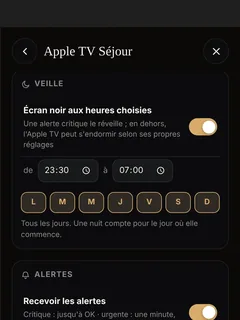
The TV wakes up on an alert New
Someone at the gate, a water leak: screen by screen, as you choose, the Apple TV switches on and ÉCRIN HOME opens the alert; an urgent camera alert shows the camera live. An information-only notice never wakes it.
Cameras on the TV New
The cameras in full-motion video on the Apple TV, as a grid or full screen.
Alerts on the screens New
A leak, someone ringing, the gate left open. You choose what is allowed to interrupt the TV.
The intercom call, in video New
Someone rings, and the iPad shows the door in smooth video.
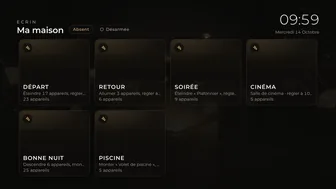
The Écrin’s HDMI output
A screen connected to the Écrin displays the home’s wall display.
Weather
Your own weather station or online weather, as you prefer, and rain that puts the watering on hold.
4 features
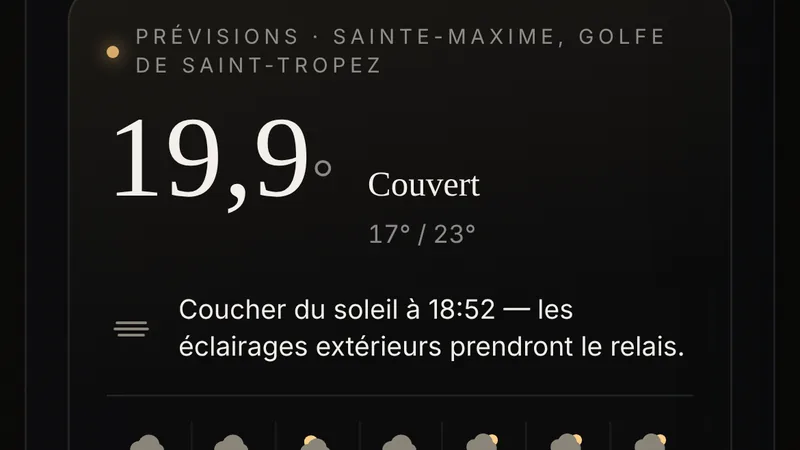
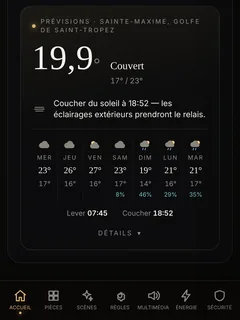
Your weather station or online weather
Your rooftop station takes centre stage when there is one; otherwise, online weather for your address.
Rain, as you choose New
The ‘it’s raining’ information comes from the station’s sensor or from online weather, as you choose.
Rain puts the watering on hold New
A rule set to ‘if it is not raining’ waits, and the log says why.
The rain sensor, monitored New
A station that reports rain under a dry sky is flagged, once.
Cloud, updates and backup
Remote access that sees nothing of your home, automatic updates, a backup every night.
8 features
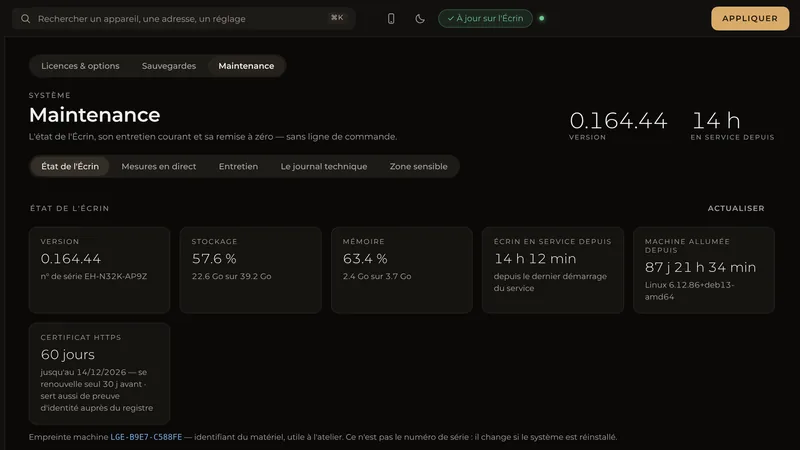
The home runs without internet
With the internet down, switches, scenes, rules, heating and cameras carry on. The home’s brain is in your home.
Remote access, included
An encrypted tunnel connects your phone to the Écrin. Our servers relay without seeing anything of your home.
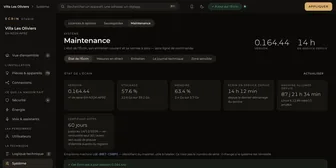
A certificate for every home New
Each Écrin has its own HTTPS certificate, renewed automatically.
The Écrin proven by its key New
Each Écrin proves its identity with its own key, and the registry instructions it receives are signed.
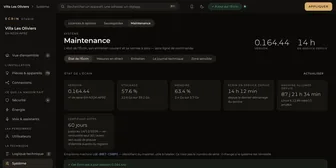
Updates arrive automatically
Every improvement goes out to every home. If the Écrin does not restart, it automatically reverts to the previous version.
A backup every night New
Every night, the home’s configuration is backed up, encrypted and stored in three copies.
Deleting your account New
Your account can be deleted from the app, without writing to anyone.
The demonstration villa New
In the app, with no account needed, a complete villa to explore before you decide.
For the installer: Écrin Studio
Your installer’s tool for installing, configuring and monitoring the Écrin.
10 features
The Installers page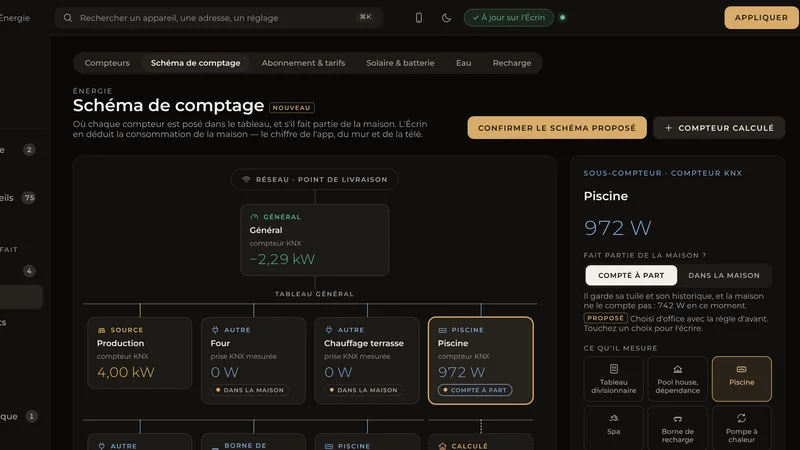
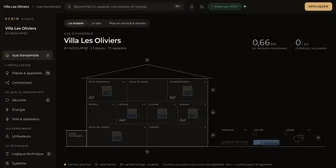
Écrin Studio
The installer’s graphical configuration tool, in the browser.
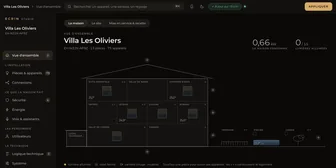
One setting, one place New
Nine sections arranged by type, a search, and light or dark mode.
The home, drawn New
Floors and rooms draw themselves as they are added.
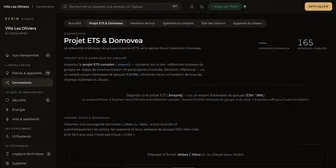
Taking over a Domovea system New
Devices and their rooms, automations and consumption histories taken over from the backup.
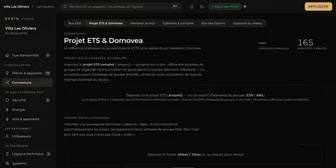
The ETS project
The .knxproj project opens in the Studio, addresses and names included.
The bus monitor
The KNX bus live, telegram by telegram.
Users from the Studio New
The installer prepares the people and profiles of the home. The owner is told of every person added or removed.
Cameras imported in one click
A recorder’s cameras join the Écrin in a single step.
The draft, kept
The Écrin keeps the installer’s draft. Nothing is lost between two visits.
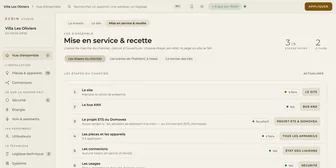
Commissioning and return to the workshop New
An Écrin installs itself, is handed over to a client, and starts afresh when it changes hands.
See it in action
A demonstration on a real installation, in Sainte-Maxime or in your own home.