
Your Tesla, on your home’s Home screen
Battery, range, charging in progress: your car sends its updates to the Écrin itself. And in the evening, if it is not plugged in when it should be, the Écrin tells you.
As many Teslas as you like, for the same price. Reserved for homes equipped with ÉCRIN, for one year, with no commitment beyond that. Online purchase opens soon: in the meantime, your installer can activate the option.
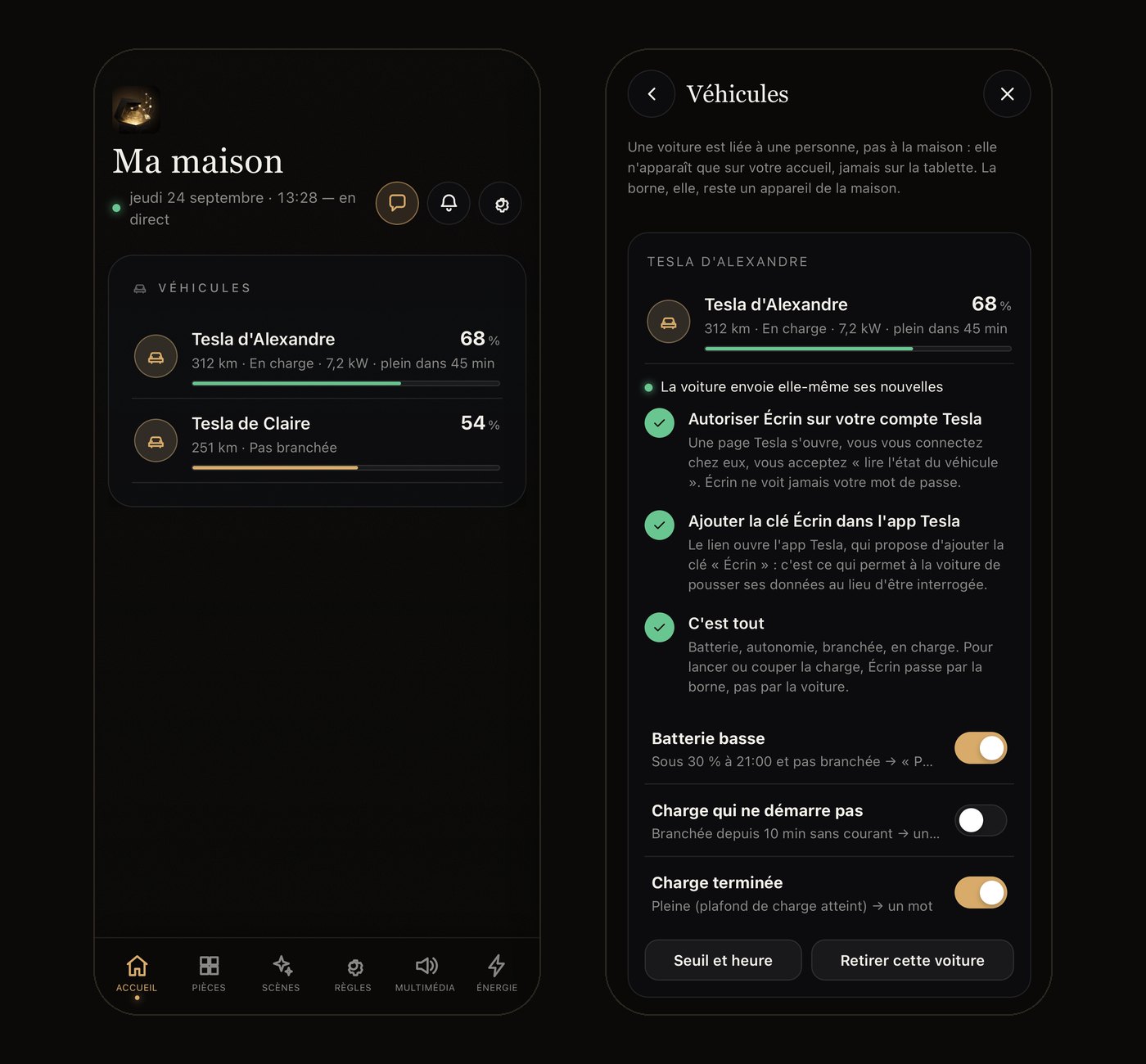
What you check in the Tesla app, without opening it
- Battery and rangeAs a percentage and in kilometres, on the Home screen of the ÉCRIN HOME app.
- ChargingPlugged in or not, charging, at what power, how long until full, and up to what limit.
- Each person’s own carsA car belongs to a person, not to the home: it appears on its driver’s Home screen, not on anyone else’s or on the living-room tablet.
- Always up to dateThe car sends its updates whenever something changes: at most once a minute for charging, every five minutes for the battery. The Écrin never wakes it.
Alerts at the right moment
Three alerts, ticked car by car. Your home’s Écrin decides when to send them, and they reach only your phones.
Low battery
In the evening, at the time you choose (9 pm by default), if the battery is below your threshold (30% by default) and the car is not plugged in: ‘Remember to plug it in tonight.’ Once a day.
Charging that does not start
Plugged in for ten minutes and still not charging: ‘Check the charger or the cable.’ Once per plug-in. A charge stopped on purpose is not a fault.
Charging complete
The car has reached its charge limit. Unplug whenever you like.
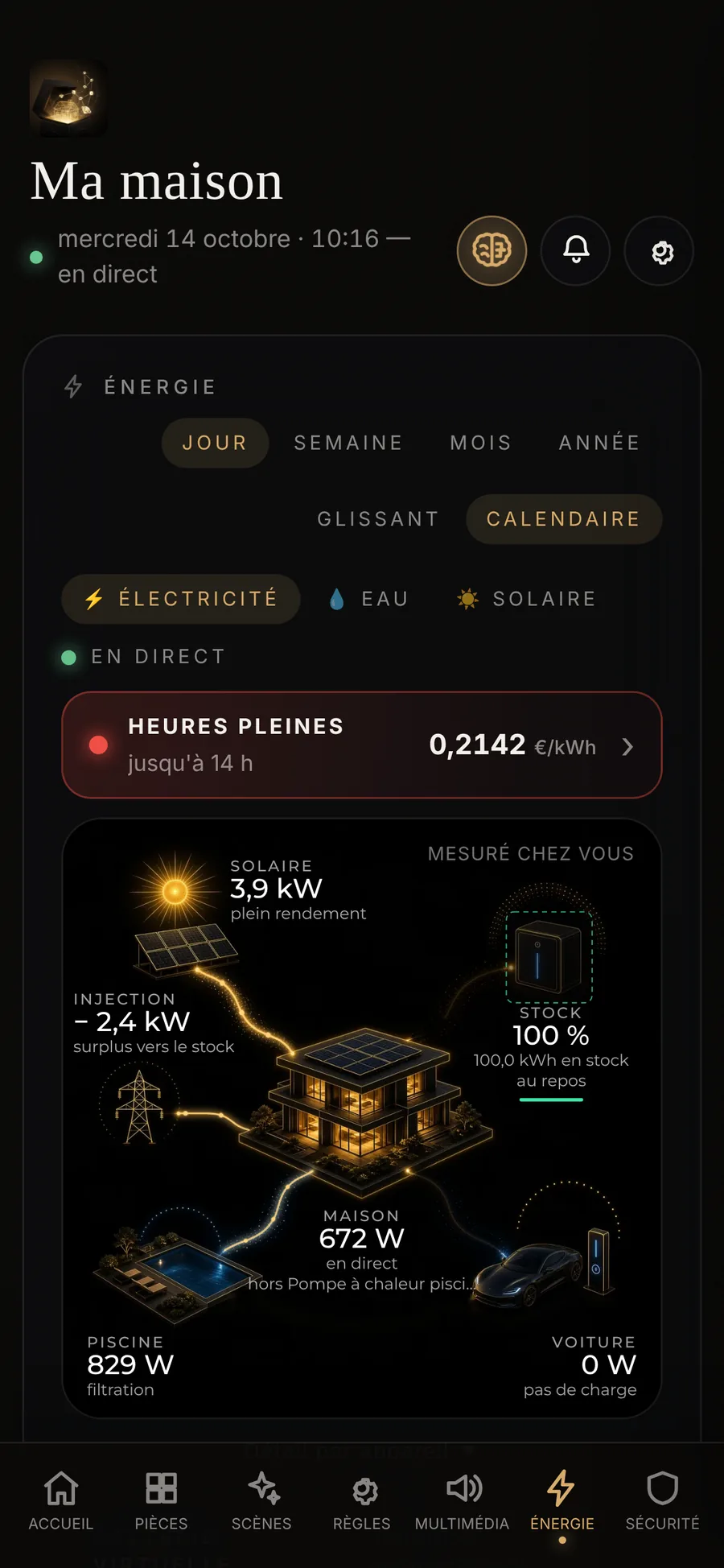
Charging is controlled at the charger
Starting or stopping a charge is always handled by your charger: in the Energy tab, or with a tap on the ‘vehicle plugged in’ notification. The Cars option adds what only the car knows: its battery, its range, its charge limit.
- The Écrin never controls the carIt does not unlock it, start it or wake it.
- The car in the living villaIn the Energy tab, charging appears alongside the roof, the grid and the battery.
Five minutes, once only
Activate the option
At your request, through your installer. Online purchase from Mon Écrin opens soon. The option reaches your Écrin within a minute.
Authorise the Écrin with Tesla
In the app, go to Configuration, Vehicles, ‘Add a Tesla’: you sign in with Tesla and accept ‘read vehicle status’. Your password stays with Tesla.
Add the ‘Écrin’ key
The Tesla app offers to add the ‘Écrin’ key, just as you would for a family member’s phone key. This key is what lets the car send its updates.
That’s it
The green dot says ‘The car sends its own updates’. The first updates arrive within minutes.
What the Écrin reads, and nothing more
The battery (level, range), charging (plugged in or not, in progress, power, limit, time remaining) and, to identify the car, its name, its vehicle identification number and its mileage. We keep the last known state, never a history.
Never your password
You authorise the Écrin with Tesla, which gives us access limited to reading the vehicle’s status. The access tokens are encrypted on our servers.
Never the location
The Écrin does not ask where your car is, or where it is going: no location, no journeys, no speed. Our servers keep only its last state.
Removed in one tap
‘Remove my Tesla account’ erases the tokens and removes your cars in one go. The ‘Écrin’ key is removed in the Tesla app, under Security, Keys.
The Cars option, plainly
Why €30 a year?
Tesla bills for every piece of data your car sends. The option covers this cost, for all the cars in the home.
Which cars are compatible?
Teslas, with the Tesla app on your phone. Some older Teslas do not accept keys from third-party apps: if in doubt, write to us before activating the option.
Can the Écrin unlock or start my car?
No. The ‘Écrin’ key only lets the car send its updates. The Écrin never controls the car.
And if I sell my car?
In the app, ‘Remove this car’, then remove the ‘Écrin’ key in the Tesla app, under Security, Keys. If you no longer have a Tesla, tell your installer: the option will not be renewed.
How do I stop the option?
The option is taken for one year, with no commitment beyond that: if you do not wish to renew it, tell your installer. At the end of the year, the cars disappear from the Home screen and stop sending anything. Your Tesla account stays linked until you remove it, in one tap, in the app.
ÉCRIN is neither affiliated with nor endorsed by Tesla, Inc. Tesla is a trademark of Tesla, Inc., mentioned here to indicate compatibility.
Your car, at home
€30 a year per home, including VAT. Online purchase opens soon. In the meantime, your installer can activate the option: contact us.